Playback and preview
Playing
Section titled “Playing”Spaceplays and pauses; the video and the audio stay locked together.←/→step one frame,⇧+←/→one second.Home/Endgo to the start / end;↑/↓switch to the previous / next song.- Type a frame number (
1050), a timecode (00:00:42:00) or seconds (42s) in the Frame field and press Enter to jump there.
Under the frame counter you see the timecode and the position Arena will see for that frame (as a percentage of the clip). For a timecode clip it also shows the matching SMPTE timecode.
The first time a song is opened the app prepares the preview and the waveform in the background, which may take a few seconds.
Visuals with a transparent background (DXV, HAP or ProRes 4444 with alpha) are shown over a grey checkerboard, like in Arena; the Formato line in the Visual panel then ends with alpha.
Simulated camera
Section titled “Simulated camera”Simula camera (Simulate camera) draws an orange striped overlay over the video with the computed opacity, so you can see exactly where the camera comes in and out. The CAM badge in the corner shows the current value.
With more than one camera in the song, each camera has its own badge and overlay in the colour of its lane (click a badge to edit that camera). When several cameras are on together the preview splits into vertical columns, one per camera on air; when one goes off, the others widen to fill the space. A note says which camera Arena shows on top (the one on the higher layer).
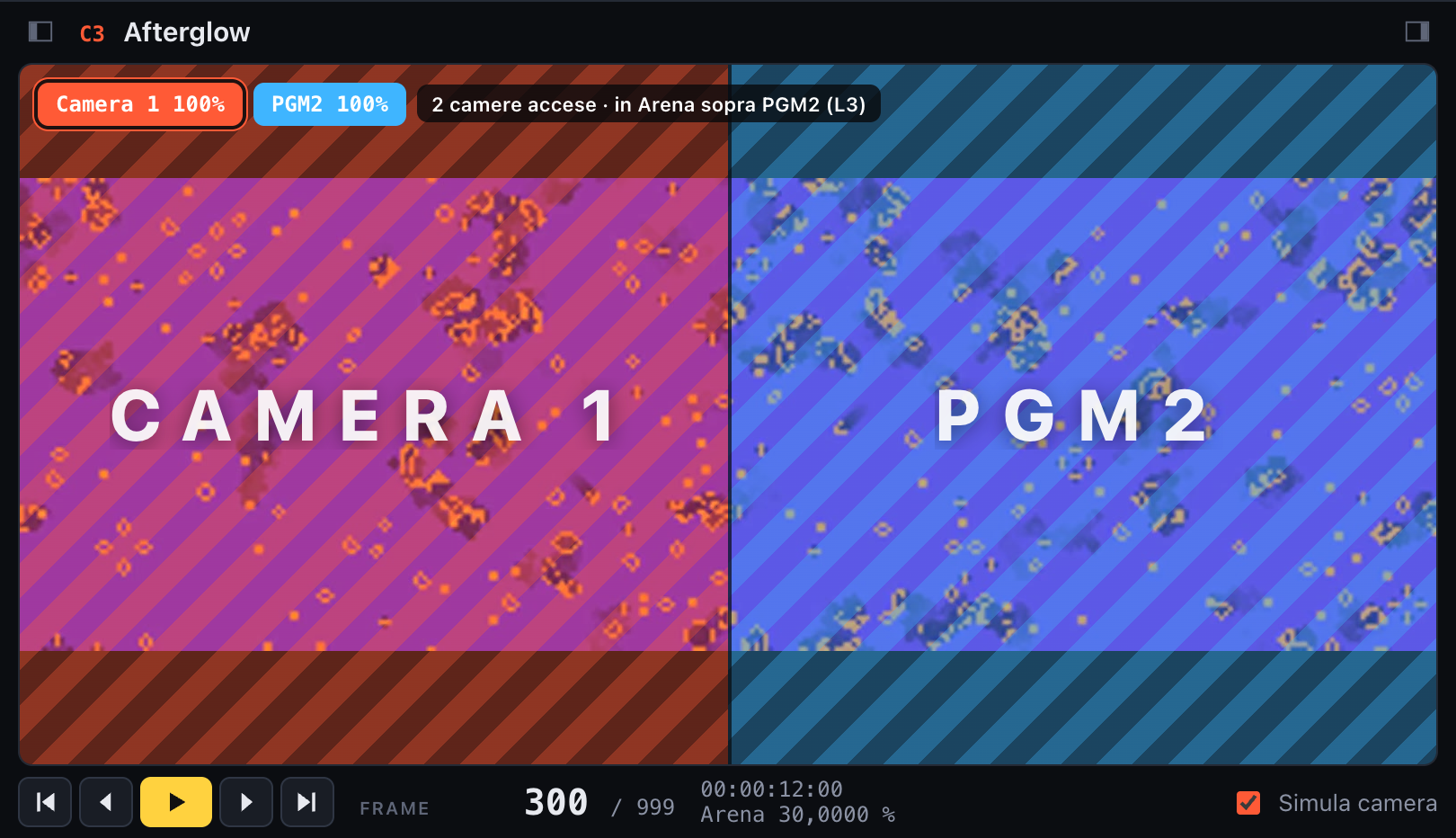
Two cameras on air together: the preview splits in two
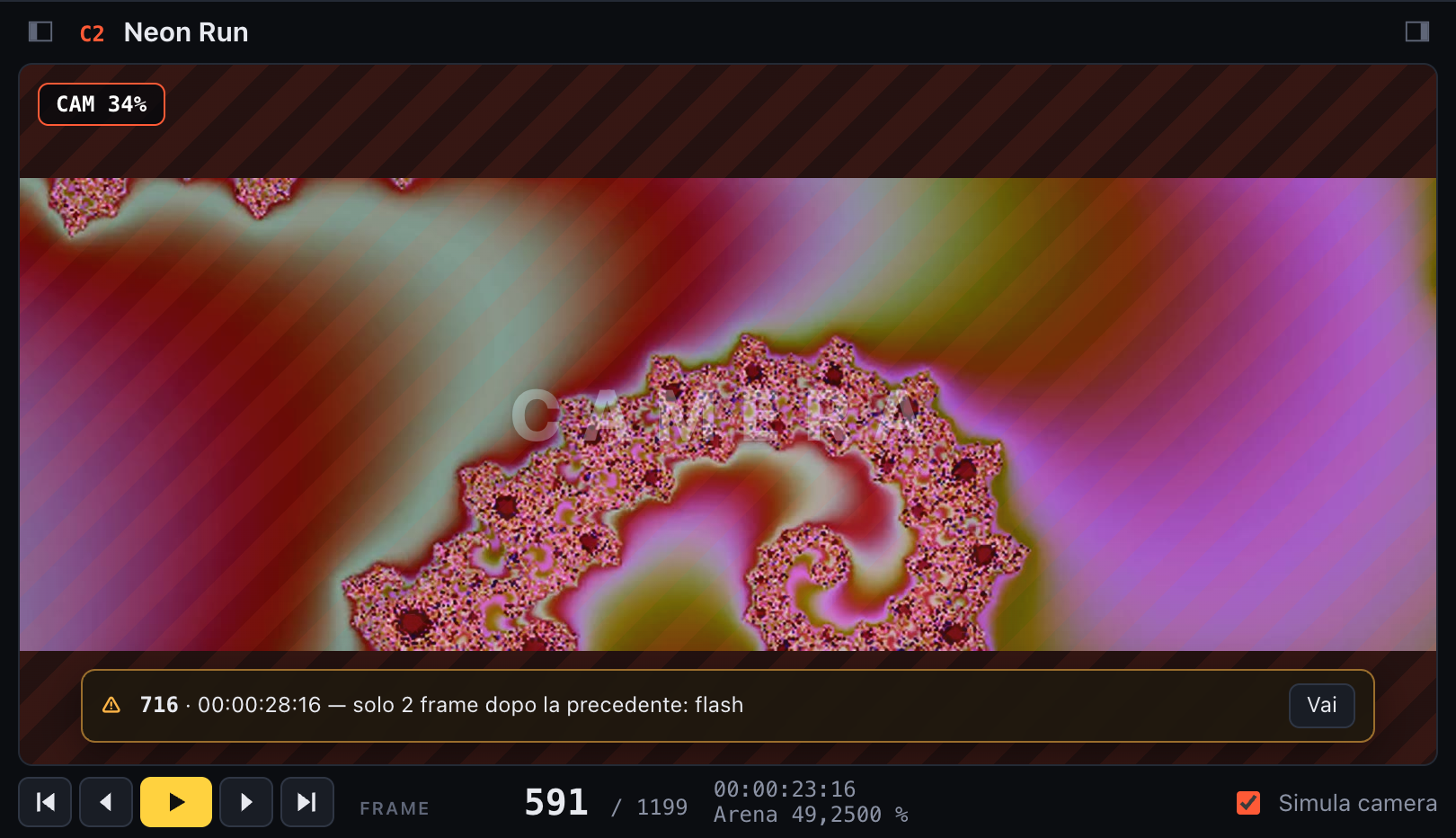
Simulated camera at 34% during a fade out, with the warnings bar
Warnings
Section titled “Warnings”While you edit, the app looks for likely mistakes and shows them in a bar at the bottom of the video, and as orange triangles on the timeline:
- transitions stuck to the previous one with no frame held in between, or only 1 to 2 frames apart (a flash);
- transitions that change nothing, because the camera is already at that value;
- points beyond the end of the visual.
Use ‹ › to step through them and Vai (Go) to jump to one. New problems introduced by an edit also pop up as a notification.